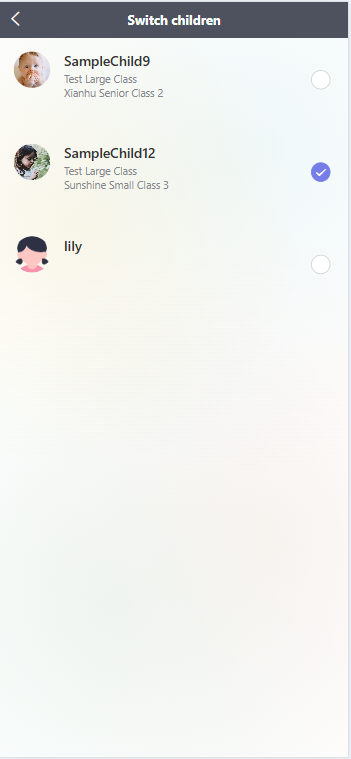
Guide to Switching Between Children Profiles
I. Access Your Personal Profile
After opening the app, tap the "Profile" icon (far right in the bottom navigation bar) to enter your personal profile page.
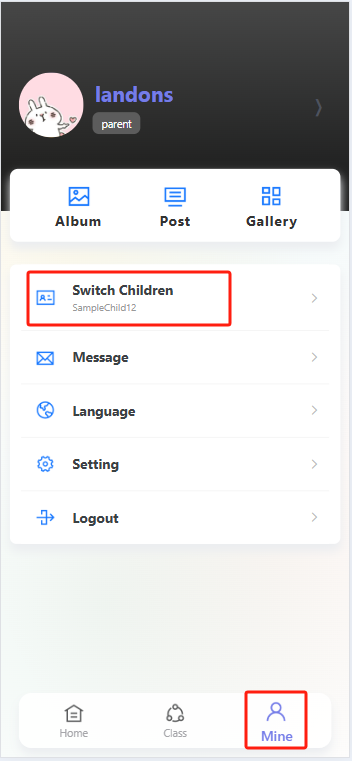
II. Select a Child
On the profile page, find and tap the "Switch Children" option. Once on the child selection page, you will see a list of your children—each entry has a circular selection button on the right. Locate the child whose information you want to view, then tap their corresponding circular button until a checkmark appears to confirm selection. This completes the switch, and you can now view that child’s related information.