Logging In to the WordPress Admin Panel
1. Open the Login Page
Visit the following URL in your browser:
https://yourdomain.preschool.zone/wp-admin
📌 Replace yourdomain with your actual subdomain (e.g., sunshine.preschool.zone)
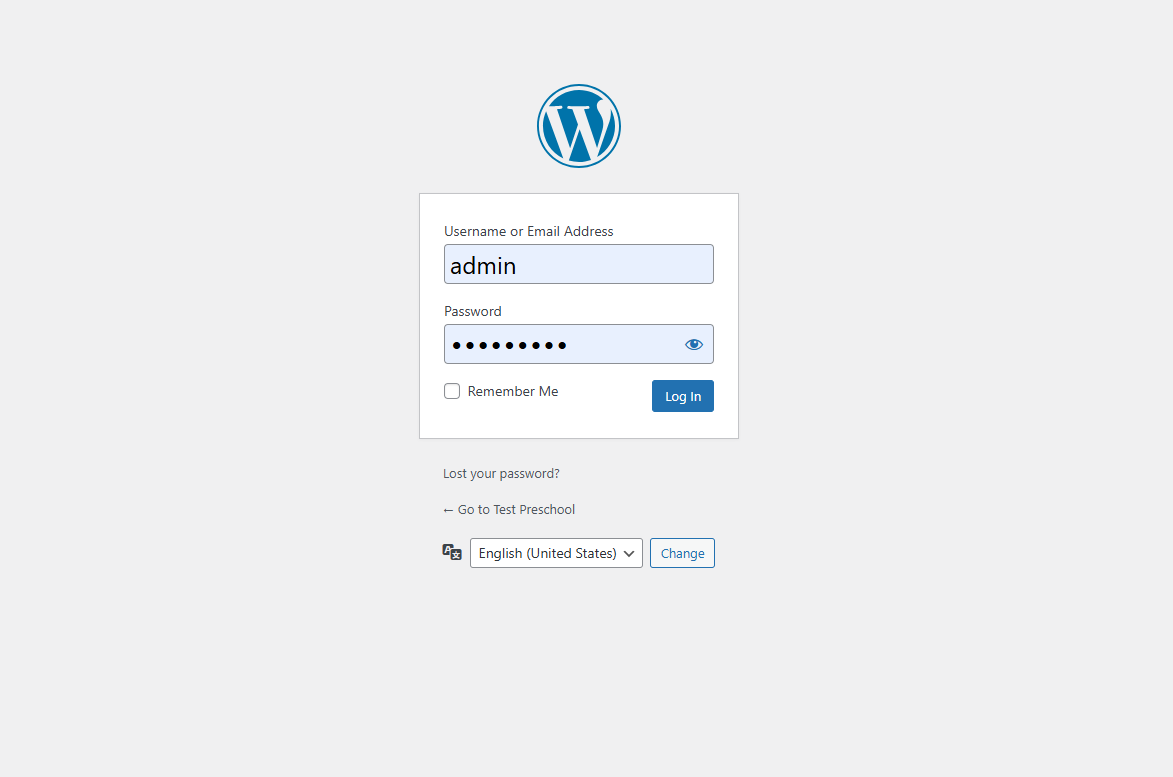
2. Enter Your Credentials
- In the Username or Email Address field, enter your account.
- In the Password field, enter your assigned password.
- (Optional) Check Remember Me to stay logged in on this device.
- Click the blue [Log In] button.
📷 Screenshot:
3. Forgot Your Password?
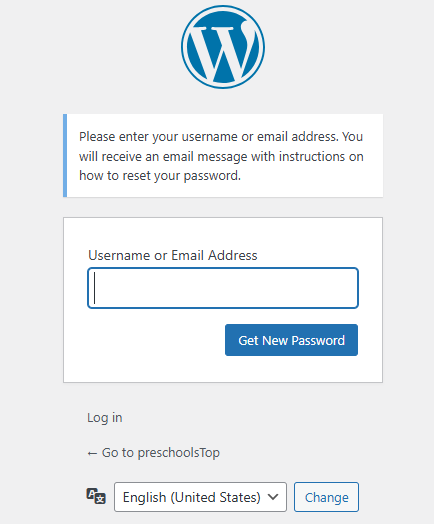
Click “Lost your password?” and follow the reset instructions. You will receive a password reset link via your registered email address.
4. Language Selection
If needed, change the login page language using the dropdown below the login form.
✅ Login Success
After logging in, you will be redirected to the WordPress Dashboard, where you can:
- Create or edit pages
- Customize your site using Elementor
- Manage posts, menus, media, and more